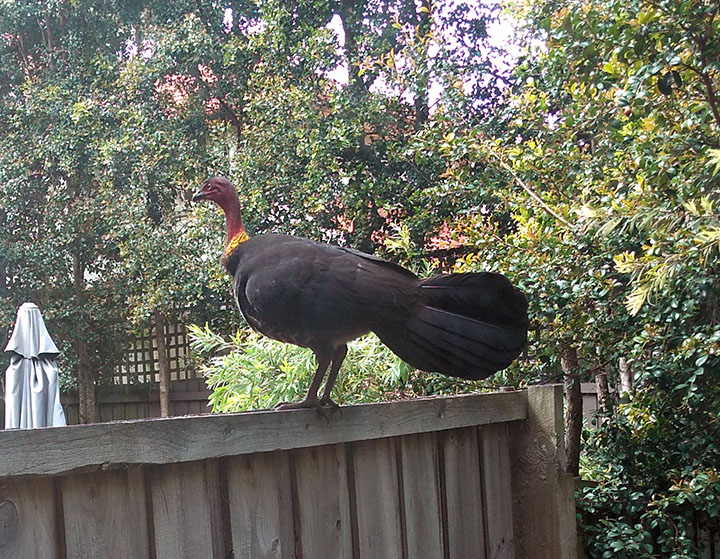
You're Amelia! You're late! Amelia Pond! You're the little girl! I'm Amelia, and you're late.
Saturday, October 01
Android Adoptable Storage, A Review
Update: Most of the problems detailed below seem to be Sony's fault. I've been testing with my Moto G4, and the problems for the most part simply don't arise. So I'm back to blaming Sony again.
It's a complete fucking mess.
To update the earlier updates:
I criticised Sony for disabling adoptable storage on their devices. Having used it, I now agree with them; the user experience is awful:
Some apps refuse to install to adoptable storage, and there's no practical way to know which ones this will affect.
Some apps install to adoptable storage, but won't run from it.
Some apps show that they are using adoptable storage, but when you check the details they are actually still on internal storage.
Some apps show that they are using adoptable storage even when you check the details, but when you add the numbers up, you find that they are still using internal storage.
Some apps that support storing data on normal (portable) SD cards don't work with adoptable storage.
If you format your card as a mix of portable and adoptable storage, you end up with two storage devices named "SD Card".
Plus (and this one is Sony's fault - it doesn't happen on my G4) the used storage numbers go negative.
There were three goals I wanted to achieve:
Store my SF magazine subscription on SD card instead of scarce internal storage. I've had a digital subscription to Analog and Asimov's since shortly after I got my first tablet, and have 39 issues of each. They weigh in at 60-115MB per issue.
This doesn't work. The Kindle app shows that it's storing them on the adoptable storage, but this is a lie.
Move large games like Final Fantasy to SD card. This doesn't work at all. In one case I had Final Fantasy VI not showing up on either the adoptable storage or the internal storage. It was actually on internal storage, and stays there no matter what.
Move many small games and apps to SD card. This is mostly a failure. All the Kairosoft games (I have 35 of them, everything they've translated into English) install on the adoptable storage, but only about a third of them will run that way. They others either crash or request storage permissions that you can't grant.
And even when it does work, the Android storage functions are completely inadequate for working out what has been put where.
This is all on Android 6.01; maybe some of this has been fixed on the recently released Android 7, but I don't have access to Android 7 on any of my devices yet.
And finally, for some bizarre reason, even after reformatting the card back to portable storage, I can't use Sony's home-grown function to move apps to SD cards, because my card is bigger than 32GB. I tried reformatting it down smaller than 32GB and it started working again. So now I've reformatted back to normal and I'm filling it with my PDF archive.
1
I have a Nexus 5X with Nougat, but of course Google doesn't believe in putting SD cards on Nexus devices so I can't tell you whether it works or not.
Posted by: RickC at Monday, October 03 2016 05:15 AM (ITnFO)
2
Ugh. I just found out that my Zenpad (Z508C) has a Marshmallow update. Overall it looks good, except for "Android Marshmallow won't support APP2SD. Please move apps to internal storage before system upgrade".
Posted by: RickC at Tuesday, October 11 2016 07:11 AM (ECH2/)
3
I passed on the Zenpad because it looked like it had been orphaned, but now that it's got Marshmallow I'm giving it another look. (Also because it was never released in Australia.)
I love the Xperia tablet, but with only 16GB storage (~9GB available) it's not a device for a packrat. My Kindle library alone is about 9GB.
Posted by: Pixy Misa at Tuesday, October 11 2016 10:38 AM (PiXy!)
4
If I had to do it again I would've gotten something with a more powerful GPU. I play a couple 3D games that can slightly bog the Zenpad down.
Other than that[1], though, I really like it. It's quite powerful, and the two speakers are great for watching video.
[1] and the fact that it has only 2GB of RAM, which actually isn't too much of a big deal, except that it's overly aggressive about killing apps. Leave a game to check FB and come back, and the game has to reload.
Posted by: RickC at Wednesday, October 12 2016 12:37 PM (ITnFO)
5
The 580CA has 4GB of RAM, but I think the GPU is identical. The Xperia tab has 3GB and is noticeably better than my old Nexus 7 at leaving apps alive.
Posted by: Pixy Misa at Wednesday, October 12 2016 02:04 PM (PiXy!)
6
Having to have apps restart isn't that big a deal; it's just annoying, as they don't actually take all that long--this thing has good flash.
Marshmallow killed one of my games--it crashes on startup every time. Am going to reboot and see if that magically fixes it.
Posted by: RickC at Wednesday, October 12 2016 03:23 PM (ITnFO)
7
I think I need to consider backing off Marshmallow on my ZenPad. It's showing all the classic signs of not liking an upgrade: laggy input, apps taking a long time to start, and so on.
Posted by: RickC at Saturday, October 22 2016 05:28 AM (ECH2/)
8
Went to the Asus support site yesterday to get the last pre-Marshmallow build, and discovered a new Marshmallow one. Interesting. I installed it and the game I play that used to crash on startup after the upgrade works again! Tablet's still a little laggy so I may still revert but it's more usable now.
Posted by: RickC at Monday, October 24 2016 04:09 AM (ITnFO)
I stuck a cheap 64GB micro SD card in my Moto G4 Play, set it as internal storage, and it works. Took a few seconds to set up. Just works.
On my Sony Xperia Z3 Tablet Compact, you have to enable it via adb over a USB cable, and once you've done that, it doesn't work. Not at all. Completely bloody useless.
The only thing wrong with the tablet is the limited internal storage, Google handed them a solution on a silver platter, and they deliberately fucked it up.
Update: So now I've reset my device twice, and it ain't got nothin' on it no more. Fortunately I can sync it from my phone - apps, data, and settings. But it takes a while. Several whiles, really.
Update: And now, to add insult to injury, it won't use the SD card any more.
Update update update: So... Since I couldn't move apps to the SD card any more, I tried enabling adoptable storage again. It doesn't use it as adoptable storage, but you can move apps to it manually. And - this is a big plus - the Kindle app actually uses it. My Kindle library is about 6GB and wouldn't fit on the tablet before, so this is a win.
I have the card configured as 40GB adoptable and 80GB portable, which should be plenty. If I run out I can get a 200GB card to replace the 128GB one.
My new phone arrived today - the Moto G4 Play. It's not quite as physically impressive as the Xperia Z3 Tablet that showed up Tuesday. The tablet is a premium device, and feels like it; it's just a premium device that came out in 2014. The G4 Play is a 2016 release, but a budget model.
The back is removable to access the battery (replaceable), the two SIM cards, and the microSD card. That's very practical, but makes the phone feel slightly cheap; there's just a little bit of give to the rubberised plastic rear cover. (On the other hand, it's unlikely to slide off surfaces the way the glass-backed Nexus 4 does.)
In an expensive phone the plastic construction might be an issue, but at A$199 (US$149) I'm not about to complain.
As for use, so far: The screen is fine; only 720p, but that's enough for anything but VR, which doesn't really interest me. It's IPS, but a cheapish one; there's a bit of a yellowish tint when viewed at a sharp angle, but it looks just fine when viewed at something approaching normal positions. At one point I wondered why the screen was blurry, then I blinked a few times and that fixed it.
It uses a Mediatek chip with a 1.2GHz quad core A53 CPU. This is perfectly zippy for basic functions - surprisingly so, about 60% faster than the Nexus 4, around the same as my late Nexus 5. A high-end phone like the iPhone 7 or Galaxy S7 would three times faster than that, but that mainly matters if you're doing stuff I don't do on my phone - photo processing, videos, stuff like that. If your phone is your main computer, it likely matters, but I have three desktop computers, two laptops, and four tablets to handle any serious computing.
The camera and speakers work - neither great nor awful. Audio from the headphone jack is perfectly fine, and has a lot more volume than the Nexus 4 or 5 I used previously. Maximum volume is far too loud on my Sennheiser PX-100s, instead of being the normal setting I use when I'm out and about.
It comes with Android 6.01 and about 11GB free of 16GB storage. On a phone, that's plenty; the SD card will hold all the audio files I could want; a 128GB card equals about 2000 hours of MP3 audio. (Okay, so I have about 2TB of MP3s piled up, mostly podcasts, but I don't need them all on my phone at once.)
Setup was dead easy. I put in my WiFi and Gmail passwords, and it offered to import all my apps and settings from my Nexus 7. I just needed to un-check Final Fantasy 1 through 6 and off it went. That will take a while - it's about 100 apps - but that's a big improvement over selecting them all one by one in the Play Store.
Android itself is pretty much stock, with no layered cruft that I've noticed. I installed Nova Launcher - or rather, it installed automatically since it's on my Nexus 7 - and Paperland Pro, so it's set up just the way I like it.
I'm sure an iPhone feels nicer to user, more refined, but the current model starts at A$1079 and has only barely a higher-resolution display (1334x750 vs 1280x720), only supports one SIM card, doesn't believe that SD cards exist at all, and lacks even a headphone socket. (And don't even think about replacing the battery.) So at more than five times the price it has inferior specs in several ways.
The only problem, if you want to call it that, is that now I've run out of microSD cards.
Posted by: Pixy Misa at
01:13 PM
| No Comments
| Add Comment
| Trackbacks (Suck)
Post contains 629 words, total size 4 kb.
Tuesday, September 20
Toys In Boxes
I've been looking for a while for a new tablet to replace my 2013 Nexus 7, and a new phone to replace my 2012 Nexus 4 (which was pressed back into duty when my Nexus 5 disintegrated).
Purely by chance I noticed that Sony was clearing out old stock of their Z3 Tablet Compact at 40% off - down from $499 to $294. The only shortcoming of that device was that they only sold the 16GB model in Australia. 16GB is barely adequate if the device has microSD support - which it does - but not enough that I wanted to spend $499 on it. At $294, though, I bit.
The only thing I really wanted from a phone was more storage, but all the cheap models have 16GB like my Nexus 4, or sometimes even 8GB, which is basically useless. The new Motorola G4 Play has 16GB and a microSD slot - and I picked it up for $199 (normally $279). Again, I'd rather have at least 32GB built in, but for $199 I'm not worried. The storage is mostly so that it can replace my old 160GB iPod, and the three main audio apps I use support SD cards just fine. I'll just need to keep prodding Big Finish to fix their app; their file sizes are huge.
The Sony tablet arrived today. This thing is great. It's an 8" tablet with a 1920x1200 screen, a 2.5GHz Snapdragon 801 processor, 3GB RAM, and 16GB of storage, of which about 11GB is available and 9GB is free (they preloaded a lot of stuff). That's why I don't like 16GB devices - nearly half is gone by the time you get it.
That aside, it's very light (lighter than my Nexus 7 despite the larger screen) and very fast (the speed was immediately noticeable even under Android 4.4, and Android 5 is faster again). The screen is bright, sharp, and clear, with vibrant colours.
It's a couple of years old now - it came with Android 4.4 (and a 63% charge, somehow...) It's now on 5.0 and updating to 5.1; 6.0 is supported and should be available as an upgrade from 5.1. Apparently it won't support Android 7, because Qualcomm have decided not to upgrade the graphics drivers for their older chips, but Android 6 (Marshmallow) is good enough.
I've stuck in a 128GB microSD card that was parked in my notebook but not really being used. Shortly I'll see if that works with Android 6's adoptable storage, which should pretty much solve the 16GB problem.
If adoptable storage works out I'm tempted to buy another one; it's that good.
The one odd thing is that it seems to have a SIM slot. I wasn't expecting that. I wonder if it actually works...
Update: Don't think the SIM slot works. But Android 6.0 is downloading now, so that's something. On the other hand, I'm down to 7.3GB of space on the internal storage and I haven't installed anything yet.
Update 2: Sony have royally buggered up the storage on this thing. First, it only has 16GB. Second, they've mapped the logical SD card to internal storage, so that apps that support moving to the SD card don't actually move. Third, they've disabled the Android 6 feature to mount an SD card as internal storage, which would have fixed the first two screwups. Ugh.
Update 3: It seems to have decided that it can move apps to the SD card after all. That's got me the best part of 2GB back. What it won't move to the SD card is, specifically, the Final Fantasy games, some of which weigh in at 600MB - quite a lot when you only have 7.3GB to start with. Oh, and the Kindle app data, which adds up fast if you have a magazine subscription (Asimov's and Analog). But in both cases it claims it has put the data on the SD card, which is more than a little annoying.
Update 4: The Kindle app puts about half its data on the SD card. Why half, I have no idea. They probably did it just to irritate me. The Audible app works properly, as do Google's Music app and Pocket Casts.
Update 5: I don't think the Kindle app puts anything on the SD card. It says it does, but it's lying. But I have most of my stuff installed, and I have 3.3GB left internally. (And 103GB left on the SD card.) And that's without firing up ADB and enabling adoptable storage.
Posted by: Ken in NH at Tuesday, September 20 2016 11:14 PM (n5I6j)
2
When adoptable storage is disabled you can generally get it to work by using adb to format the card. I got it to work with a Samsung tablet. Google for instructions.
Posted by: Jonathan Tappan at Wednesday, September 21 2016 01:11 AM (yOf5u)
3
Worth a shot; I already have a 128gb UHS microSD card which should work nicely if I can just convince Android to use it.
Posted by: Pixy Misa at Wednesday, September 21 2016 02:10 AM (2yngH)
I got myself a very nice iMac late last year - Core i7, 32GB RAM, Radeon 395MX, 1TB SSD, and the 5k Retina HDR display. It's just about the best desktop PC you can get.
However... The mouse and keyboard handling in MacOS sucks compared to Windows. MacOS only has mouse acceleration control; the base tracking speed is fixed and very slow.
That means that you have to keep picking up and moving your mouse because the speed at which it tracks is variable. And since the menu is always at the top left of the screen, you tend to move your mouse more than on Windows, which just exacerbates the problem.
Also, my workflow 99% of the time involves two windows side-by-side. On Windows, setting that up is just a keystroke; on the Mac it's just a complete mess. You can do it, but it's unnecessarily complicated and hides the menu bar and the dock, so the moment you set it up you end up hiding the tools you normally use all the time.
After trying a couple of other options (Steermouse and MagicPrefs) I gave Smoothmouse a try. It has an option that says "make my mouse work like Windows" which... Makes your mouse work like Windows.
There's another couple of apps called BetterTouchTool and BetterSnapTool. BetterTouchTool does a whole bunch of stuff for mouse and keyboard management; BetterSnapTool only handles snapping windows based on mouse or keyboard commands (which are completely configurable).
BetterSnapTool is on the Mac App store, costs just a few bucks, and works perfectly. It's eleventy billion times better than the idiot crap that Apple came up with.
I've been tending to use Kei, my (older, slower) Windows machine instead of Taiga, my (shiny, new) iMac because of these niggling UI issues. And now they're fixed.
The only remaining issue is that I'm running VMWare Fusion on Taiga with Windows 10 and Ubunutu 16.04 instances. Each VM has 8GB of RAM allocated, meaning that half my memory is gone the moment I boot up.
The 2015 iMac supports up to 64GB of RAM - but because Apple idiotically used DDR3 rather than DDR4 (even though DDR4 is supported by the CPU), upgrading beyond 32GB costs about three times as much as it should, so I've been putting that upgrade off.
But apart from that, it's pretty good. I just hit Ctrl-left-arrow or Ctrl-right-arrow and it goes Zip! Full-screen Windows 10. Zip! Full-screen Ubuntu. Zip! Back to MacOS.
Meanwhile, Smoothmouse and BetterSnapTool both get the coveted Does Not Suck award.
Update: Can't get VMWare Fusion to use both monitors. Or, well, it does, but the guest OS is mirrored across them at a resolution selected by throwing chickens at a bingo card.
1
It's time for Apple to give up the single menu bar. It made sense when the GUI (and computers in general) was a new concept to the masses and screens were small. It doesn't make sense on 21+" retina displays in 2016 when even my grandparents in their late 80s use smart phones. Worse, Apple doubled down on the menu bar in El Capitan by forcing it on to every display and hiding the control to remove it from secondary displays under "Mission Control" with a check box titled "Displays have separate spaces". WTF Apple?
Posted by: Ken in NH at Wednesday, August 31 2016 01:51 AM (GYeaQ)
2
Yep. On a notebook, and maybe even on the 21" model, a single menu bar isn't that much of an issue. On a 27" screen, it's a constant nuisance.
One thing I like is that Microsoft Office for Mac blatantly ignores the Apple UI guidelines and gives each window its own menu bar, the way Doug intended.
Posted by: Pixy Misa at Wednesday, August 31 2016 02:16 PM (PiXy!)
3
Apple had a good point originally about the placement of the menu bar. The top of the screen is prime UI real estate, because you whip the mouse at it, and it will stop at the menu bar (On Windows, you end up in the title bar, or nowhere useful.). With the Mouse Acceleration, a quick, hard gesture could send it there.
Having the menu bar attached to the inside of a window that can be any size takes a lot more care and precision on the part of the user to hit the target.
On the other hand, Windows really screwed up with some of their text box handling routines. Forex, on the Mac, clicking in the blank space below the paragraph will take your cursor to the end of the text. On windows, it will take you some point in the middle of the last line above the mouse's X position. And hitting the arrow keys while there's a text selection did much more sensible things (And don't get me started on Windows and auto-extending text selections in ways you don't want to when you're holding shift.... Maddening!)
Posted by: Mauser at Thursday, September 01 2016 12:13 PM (5Ktpu)
4
On a small screen, and particularly on a small low-resolution screen like the original 512x342 Mac, a single unified menu is the only sane choice. (The Amiga did the same thing.)
On a 27" 5120x2880 screen, though, it's ridiculous, and the mouse acceleration settings that you need to make it at all accessible screw up every other mouse function.
Posted by: Pixy Misa at Thursday, September 01 2016 03:38 PM (PiXy!)
5
To put it another way, as monitor sizes have grown, the top of the screen has remained beachfront property... But now it's beachfront in Alaska. Which... Oh, hey, $35,000 for 20 acres...
Posted by: Pixy Misa at Thursday, September 01 2016 03:43 PM (PiXy!)
6
Yeah, they may as well right click and give you a pop-up of the application menu....
Posted by: Mauser at Friday, September 02 2016 10:59 AM (5Ktpu)
7
Why not send email to the customer service?
May be they can help you solve the problem?
Posted by: casinocheating at Friday, September 02 2016 03:26 PM (msUZZ)
Glitter Force is not a "Netflix Original". It's a bastardised version of season nine of Pretty Cure.
Speaking of which, Pretty Cure is up to season 13 with no signs of slowing. Unfortunately only the first season is worth watching unless you're a girl between the ages of five and ten. With the second season they narrowed their target audience, and since then their targeting has become laser-precise. But on the fourth hand, the franchise is a massive commercial success, so I can't exactly blame them for that.
Season one - the real Pretty Cure - was directed by Daisuke Nishio, who also directed the little-known Dragon Ball and Dragon Ball Z. It's a lot more action-oriented than the later seasons, and that would go a long way to explain why.
I've never watched any of Pretty Cure, but I had the impression that each season had an entirely new set of Cures, replacing the previous set. Is that right?
At this point the alumni number something like a hundred; I saw a fan picture of all of them and it was immense.
Posted by: Steven Den Beste at Sunday, August 28 2016 12:59 AM (+rSRq)
2
Also, wasn't there a movie that brought all the older Cures back together again?
Posted by: Steven Den Beste at Sunday, August 28 2016 01:04 AM (+rSRq)
3
Of thirteen seasons, I think only two directly continue from the previous season; all the rest switch out the entire cast. (Season two has the same cast as season one, but isn't nearly as good.)
And yes, Pretty Cure All Stars brings the casts of various seasons together. Not just a movie though - there's nine or ten of them, plus thirteen movies with just the cast of one particular season. This thing is huge.
Posted by: Pixy Misa at Sunday, August 28 2016 11:20 AM (PiXy!)
Benzalkonium Chloride Contraindicated For Gregor Samsa's Kitchen
So, there was a cockroach in my kitchen the other day, and I didn't know where I'd left the bug spray, but if I went looking for it the roach would be sure to make its escape while my back was turned.
So I grabbed what was at hand - namely a squirt bottle of Dettol Healthy Clean Kitchen surface spray - and spritzed the filthy insect with it.
Whereupon it promptly gave up the arthropod equivalent of the ghost.
Huh.
The spray is a 0.1% solution of benzalkonium chloride - the same antiseptic found in Dettol and Bactine - and supposedly more-or-less harmless, safe for use on food preparation surfaces. The oral LD50 in mammals is given as 240mg/kg, so it would be easier to kill yourself by drinking low-alcohol beer than this stuff.
Unless you're a cockroach.
Also, my floor is very clean now.
Posted by: Pixy Misa at
08:19 PM
| No Comments
| Add Comment
| Trackbacks (Suck)
Post contains 153 words, total size 1 kb.
Tuesday, August 23
Hot Chips 28
The annual Hot Chips conference is on right now, where chip designers and manufacturers highlight new and upcoming produces, like Arm's new 2048-bit vector supercomputer CPU, Samsung's DDR5, GDDR6, and HBM3 memory (the latter will deliver 16GB of memory and half a terabyte per second of bandwidth in a single package), IBM's Power 9 architecture, AMD's Zen, and Intel's... Skylake. Which came out a year ago, but whatever.
I went looking for more details on some of the presentations, and now I'm hungry.
Posted by: Pixy Misa at
12:33 PM
| No Comments
| Add Comment
| Trackbacks (Suck)
Post contains 86 words, total size 1 kb.
Sunday, August 14
Kabaneri Of The Iron Fortress
Completely implausible. These people are so dumb the zombies would starve to death.
It moves right along, and the production qualities are great, but dumb as a box of rocks.
Update: And every time you think it couldn't get any more stupid, it does. I went to see what other people thought of it, and this was the first review I found:
Watching Kabaneri is like watching a 5-car pile-up on a busy intersection. It's devastating, but hard to look away from. With each plume of smoke breathes a new fiery furnace of stupor; divulging deeper into new unforeseen territories of shit writing. Where other shows simply crash and burn, Kabaneri decides to push forward with a broken axle and the power of irrationality to combust its engine. It's a wondrous, smoldering pile of fecal matter on wheels. A beautiful travesty captured in frame by uninspired creators, seeing just how close they could pass their hand over the surface of unoriginality without being scorched by the heat. And trust me when I say that Wit Studio got their hands pretty fucking close. Had they gotten any closer, we'd be naming this 'Shingeki no Kabaneri: Schlock Edition'. To say they're cashing in on an existing fanbase would be an understatement. These motherfuckers took the cash-cow home, milked it dry, then butchered it for any remaining morsels that they could scrape together. Kabaneri isn't just below average, it's the residual excrement that resides at the bottom of the barrel.
The author goes on at some length, but I suspect you get the idea.
Posted by: Pete Zaitcev at Thursday, August 18 2016 03:44 PM (XOPVE)
5
There are at least three literal train wrecks in the show. Make of that what you will.
Posted by: Pixy Misa at Thursday, August 18 2016 05:13 PM (PiXy!)
6
Thanks for the blog loaded with so many information. Stopping by your blog helped me to get what I was looking for.wap togel
Posted by: at Wednesday, July 05 2023 09:41 PM (AWDS1)
7
i am always looking for some free stuffs over the internet. there are also some companies which gives free samples.info togel
Posted by: at Saturday, July 08 2023 06:43 PM (O7Og5)
8
Thanks for sharing nice information with us. i like your post and all you share with us is uptodate and quite informative, i would like to bookmark the page so i can come here again to read you, as you have done a wonderful job.slot yang gacor
Posted by: aaaa at Saturday, July 15 2023 01:39 AM (yBuni)
9
Positive site, where did u come up with the information on this posting?I have read a few of the articles on your website now, and I really like your style. Thanks a million and please keep up the effective work.comprar seguidores tiktok
Posted by: aaaa at Thursday, August 24 2023 10:14 PM (ogCRO)